Gym Daddy.
Throw the notebook away.
A dead-simple workout tracker for people who just want to keep their numbers straight. Log your sets, watch your lifts trend up over time, know you're actually on track. No paper notebook. No clutter. No learning curve.
Gym Daddy is in private beta. The interactive demo below runs the real app, but installing it is by request while I finish it. Core will be free when it ships — see the roadmap for what's coming in Pro.
Live demo
Try it right here.
This is the actual production app running inside a phone frame. Tap around. Start a workout. Log a set. Everything works — it uses localStorage so your data stays in your browser sandbox and won't touch mine.
The embedded demo is optimized for desktop. On mobile, the best way to experience Gym Daddy is on your own home screen — which is by request.
Request accessWant it on your phone?
Gym Daddy isn't publicly listed. If you want the install link so it can live on your home screen, drop me a line and tell me a bit about how you'd use it.
The problem
Everyone's still carrying paper notebooks to the gym.
Go to any gym and you'll see it — guys hunched over spiral notebooks between sets, squinting at last week's numbers, trying to remember what they hit. It works, but it's a hassle. Pages get sweaty. Notebooks get lost. Nobody's actually looking back at what they wrote three months ago.
The alternative is worse:
- Existing gym apps — too many features, too many menus, too much friction between you and logging the set you just finished.
- Apple Notes, spreadsheets, Fitness — free, but so clunky you stop using them by week two.
- Full trainer platforms — way too much app for someone who just wants to remember what they benched last Tuesday.
So I built the app I actually wanted. Open it, tap in your set, close it. Look at your trend line whenever you want proof you're moving in the right direction. That's the whole thing.
The process
Ninety minutes from empty repo to installed on my phone.
This was an intentional constraint. Not "how good can I make a workout app in a week." How functional can I make one in the time it takes to watch a movie.
Scaffolding
Vite + React + TypeScript. Tailwind stripped out for hand-written CSS — small enough app that a design system was overhead I didn't need. Set the base color palette (deep space navy, electric purple, cyan) so it wouldn't feel like generic AI slop.
Data model
An Exercise, a Workout, and a Set. Persisted to localStorage via a tiny store hook using useSyncExternalStore. Seeded twenty common exercises so day-one usage doesn't require setup.
Core flow
Four screens: Home dashboard, Start Workout, Active Session, Complete. Every screen designed around the "three taps to log a set" test. Started the session UI with a big weight/reps stepper and a chunky "Log Set" button — no keyboards, no dropdowns.
Add Exercise drawer + history
Bottom-sheet drawer for adding exercises mid-workout — same interaction pattern as iOS share sheets, so it feels native. History view shows recent workouts with total volume.
PWA manifest + service worker
Icons at every iOS-required size, standalone display mode, offline-first service worker. Added to home screen from Safari and it launches like a native app — no browser chrome.
Shipped
Pushed to GitHub, enabled Pages, wired up a Vite deploy workflow. Live at cgdaniels23.github.io/gym-daddy — installed on my phone before I finished my next set.
Tech decisions
Every choice was picked for speed of shipping.
- Vite over Next.js
- No routing, no SSR, no API layer needed. Vite gives me a fast dev server and a static bundle. That's it. Next.js would have been over-engineering.
- localStorage over IndexedDB or a backend
- Zero backend means zero cost, zero auth, zero data-handling liability. Workouts are user-scoped anyway — no need for a server to see them. Trade-off: no sync between devices. Fine for v1.
- PWA over React Native or Swift
- App Store review is a two-week detour for a personal tool. PWA installs to the home screen in one tap and runs anywhere. No developer account required.
- useSyncExternalStore over Redux / Zustand
- The whole store is thirty lines of code. Bringing in state management would be more infrastructure than app.
- GitHub Pages over Vercel / Netlify
- Free static hosting with a workflow that auto-deploys on push. The repo itself is the deploy pipeline.
Screens
The app end-to-end.
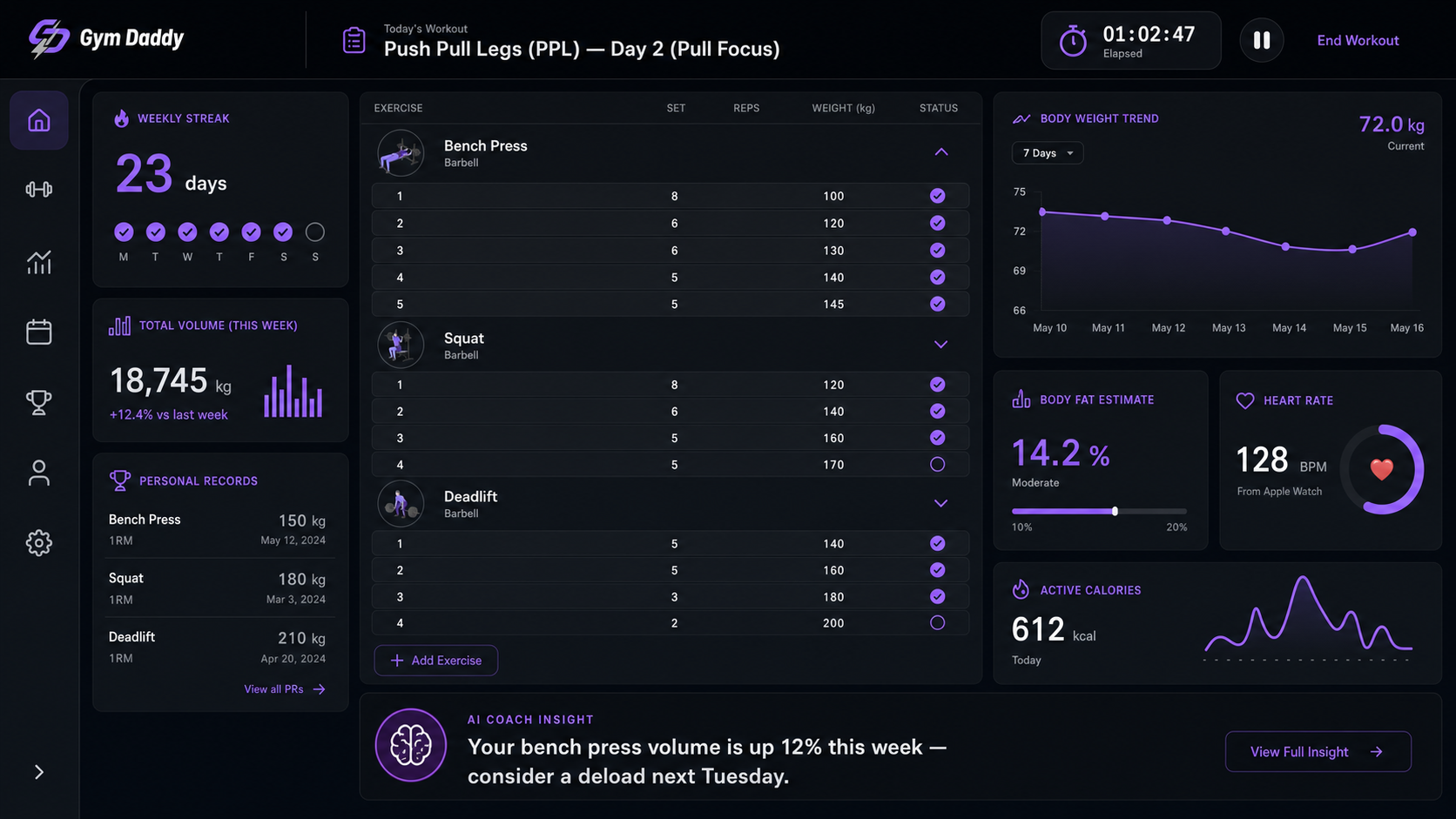
The roadmap
Free forever core. Pay once for pro.
Gym Daddy stays true to the notebook idea: the core app — logging sets, tracking your numbers over time — will always be free. When there's a paid version, it's a one-time payment. Never a subscription. You buy it once, it's yours.
Gym Daddy Core
Free
- Three-tap set logging
- Your workout history and trends
- Lives on your home screen
- Everything stays on your phone
Gym Daddy Pro — Trainer Mode
One-time payment
- Trainers build weekly programs and assign them to clients
- Trainees log sets against the day's targets
- Trainers watch each set land in real time
- Same three-tap discipline, just multi-user
If you're a trainer (or a client whose coach uses spreadsheets and text messages), get on the early-access list. Beta users get Pro at the lowest price it'll ever be.
Want something similar built for your problem?
I take on a small number of consulting engagements at a time — AI systems, revenue intelligence builds, full-stack apps. If you've got something worth shipping in ninety minutes (or ninety days), let's talk.